One ledger across iOS and Android
Expenses stay in sync across iOS and Android. The creator decides who can add or view them.
 CoolMeow
Keep track of trip costs and household bills with your partner, roommates or friends. Photos and notes stay with the expenses.For sharing, only the ledger creator needs a Basic subscription. Invited members join free.
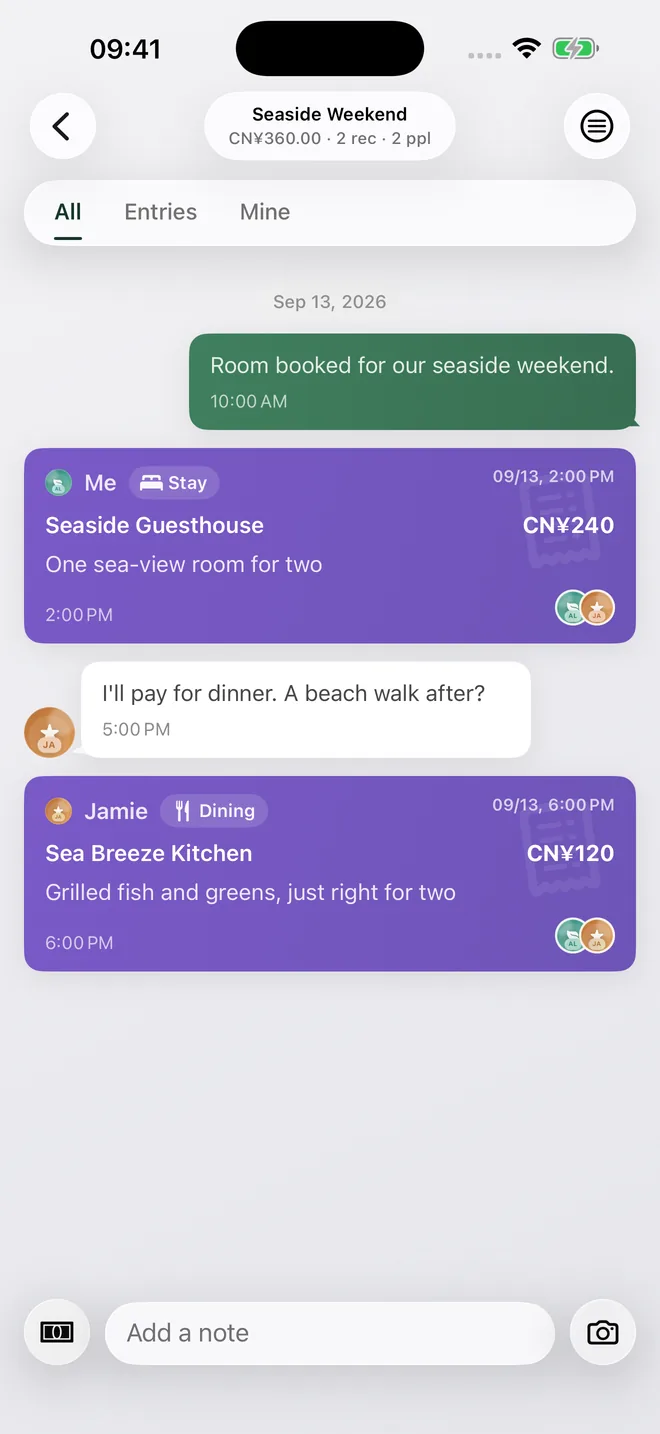
Record shared expenses
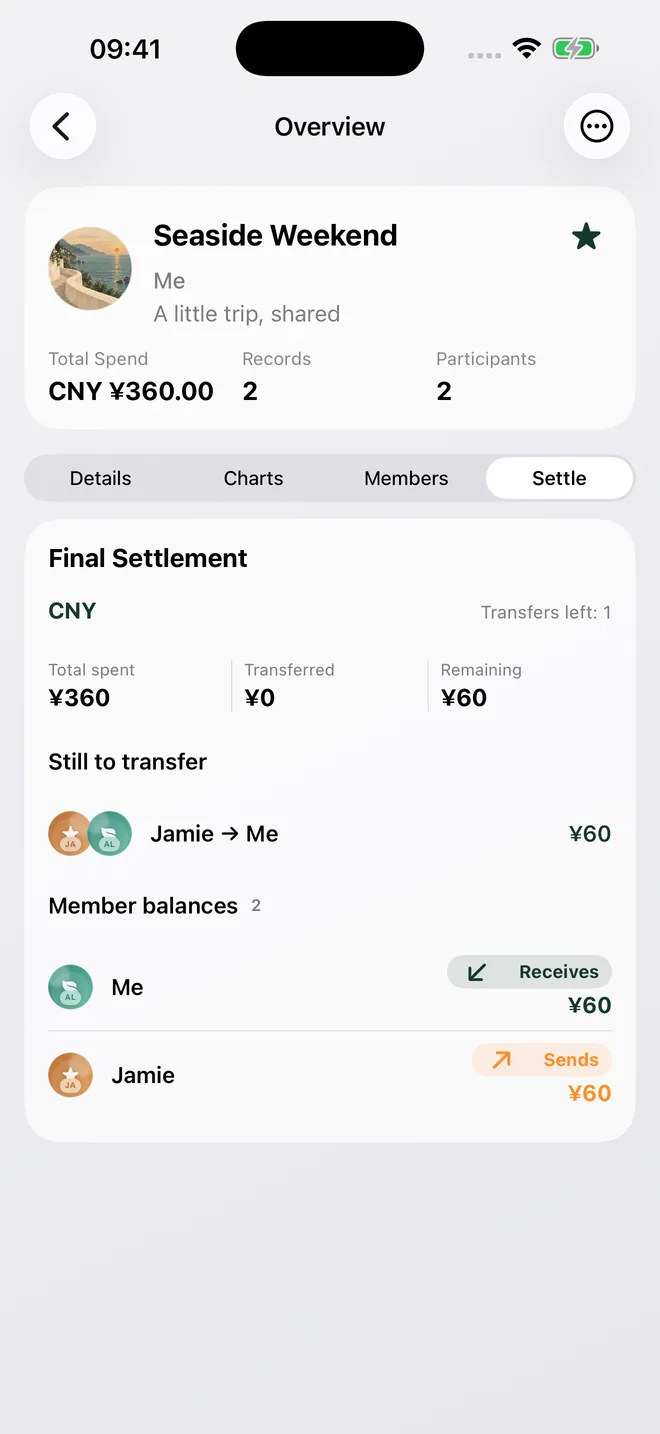
Check the split
A 46-second demo of inviting members, syncing expenses, reviewing receipts and splitting costs.
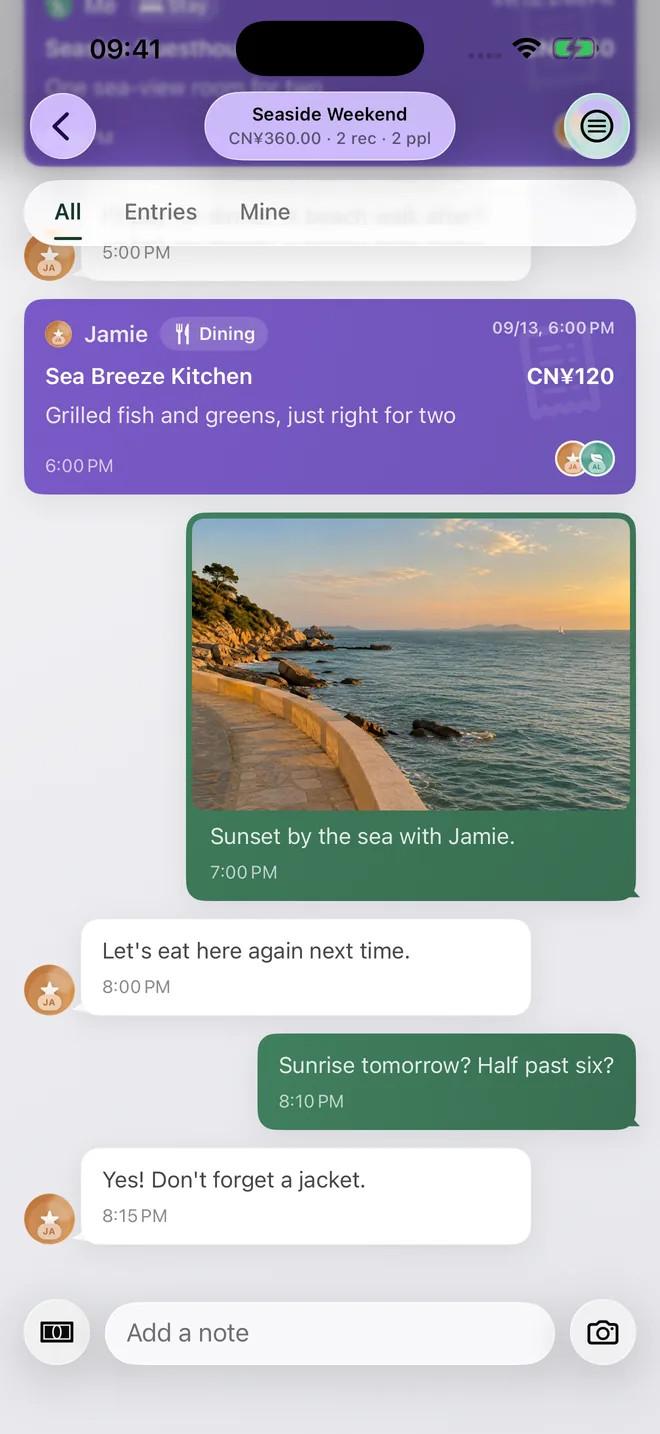
Expenses, photos and conversations stay together in the same ledger.
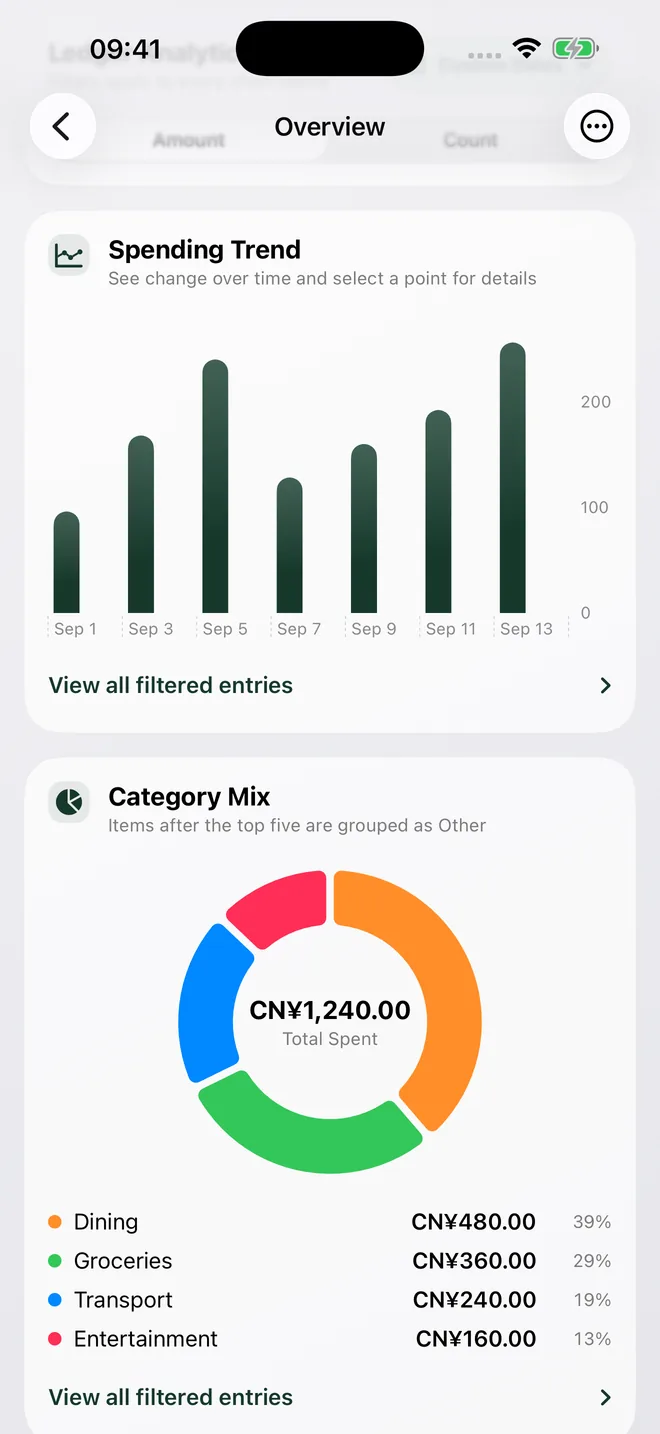
Spending reports show totals by category and member, along with the expenses behind them.
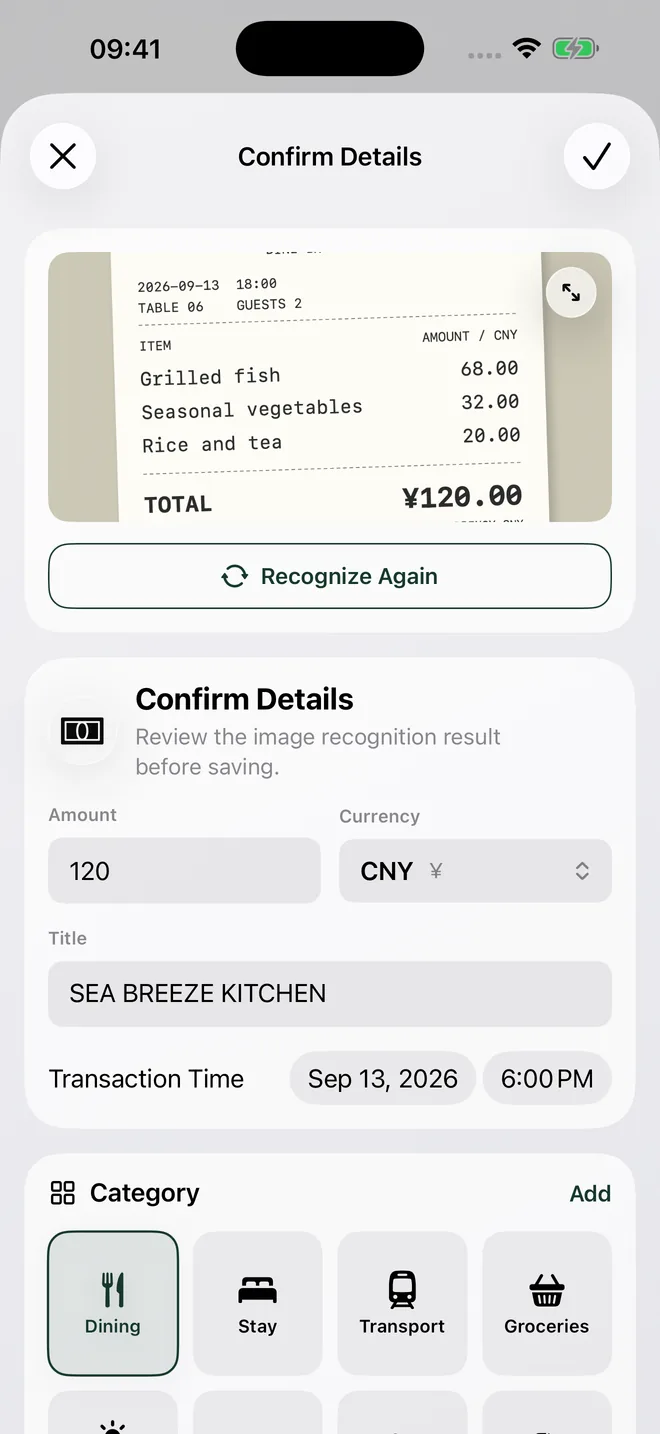
Scan the amount, merchant, date and time into an expense draft. Check the details, make any changes, then save.
Reports show spending over time, category breakdowns and each member's expenses. Each total links to the expenses behind it.
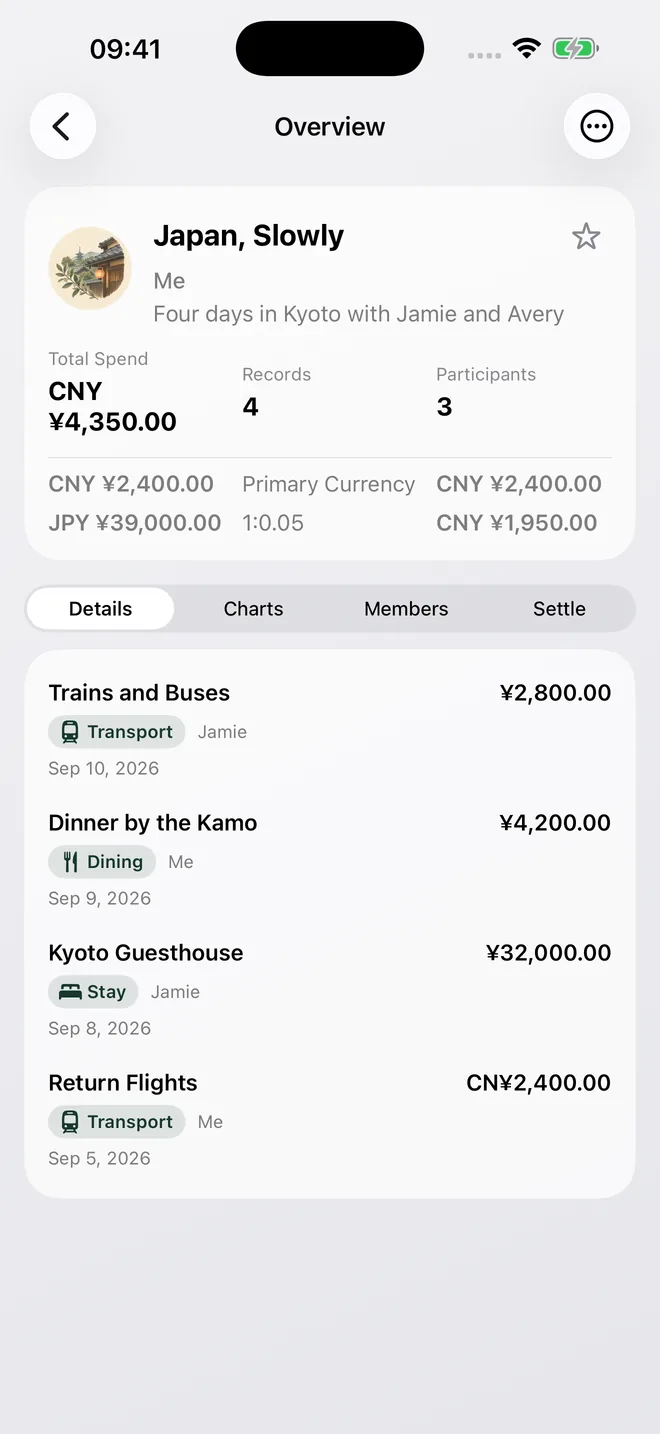
Expenses keep their original amount and currency. CoolMeow converts them to your ledger's main currency to calculate the total.
You can search past expenses by merchant or note, and keep daily spending and trips in separate ledgers.
MCP
Connect Grok, Gemini or another MCP-compatible AI assistant to look up your cloud ledgers and add expenses within the permissions you grant. Review the proposed changes before saving.
Setup, examples and limitationsGrok · Gemini · Codex · Claude · Cursor · VS Code
Cloud ledgers only. Start a Basic subscription in the CoolMeow app; subscriptions to AI services are separate.
OpenAI pluginIn development
Tracking expenses on your device is free. Invited members can also join shared ledgers for free. A Basic subscription lets you share your own ledgers, sync them across devices, restore them from the cloud and scan receipts.
| Feature | Plan required |
|---|---|
| Expense tracking, reports and search on your device | Free |
| Join a shared ledger by invitation | Free to join |
| Share your own ledger | Creator's Basic subscription |
| Sync your own ledgers and restore them from the cloud | Basic subscription |
| Receipt scanning | Your own Basic subscription |
Sharing requires the ledger creator's Basic subscription to stay active. Receipt scanning requires your own Basic subscription and has usage limits.
See Basic subscription benefitsPrices, billing periods and receipt scan limits are listed in Settings → Membership in the app.
Invite the other person, choose their role, and find the same expense on both phones.
Follow six purchases to a USD 104 balance. See why the payer and participants matter.
Check the recognized draft, choose who paid, and split two museum tickets into USD 22 shares.
Shared ledgers need the creator's Basic subscription to stay active. After expiry, cloud writes and shared editing are restricted, and invited members can view existing records. The creator can keep recording locally in the app and sync those changes after renewing. Existing records are not deleted because the subscription expires. Canceling auto-renewal usually leaves access active until the current billing period ends; check the store and app for the date.
Joining a shared ledger is free. To scan receipts, you need your own Basic subscription. A scan creates an editable draft that you review before saving. The app shows how many scans are available to you.
No. CoolMeow calculates each person's share and settlement balance. You can record completed settlements, but payments and transfers happen outside the app.
For sharing, only the ledger creator needs a Basic subscription. Invited members join free.