
On this page
Start with the category and its total
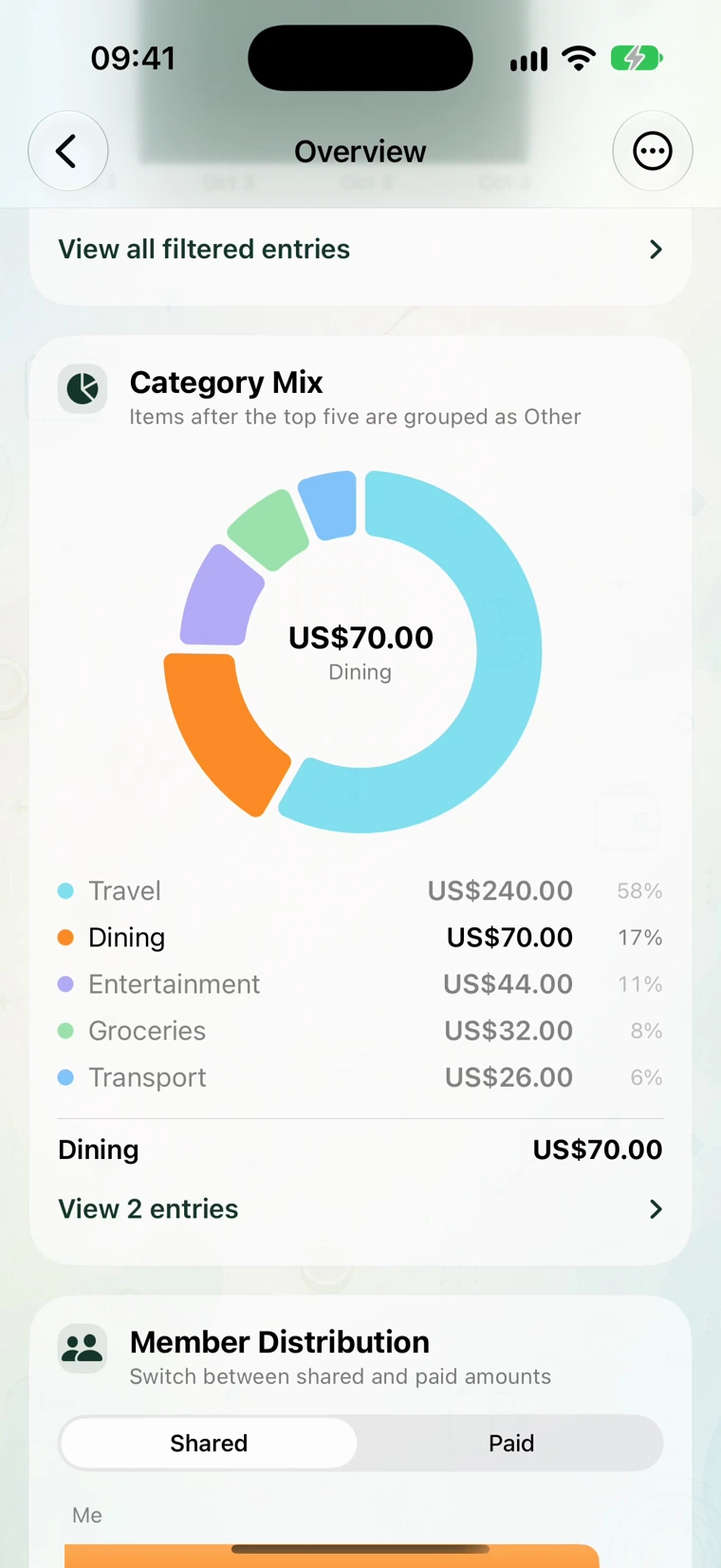
Open the ledger's Overview, then Charts. In the sample weekend book, six expenses total USD 412. The Category Mix breaks that spending into categories.
Select Dining. Its detail panel shows USD 70 and View 2 entries. A category total tells you where spending went, but the entry list tells you which purchases produced it.
Open the two entries
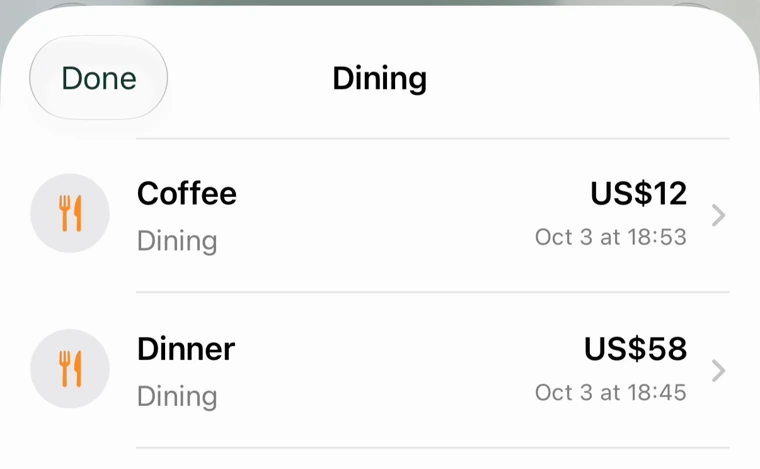
Tap View 2 entries. The recording opens a Dining list with Coffee, US$12 and Dinner, US$58. The amounts add to 12 + 58 = USD 70.
Open a record if its title or amount is unfamiliar. Read the category, date, currency and any note before changing it. A restaurant purchase placed under Travel can make the dining chart look low even when the book's overall total is correct.
If a record is wrong, correct that record and review the category again. Adding another expense to make the chart look right would also change the book total and member balances.
Shared and Paid answer different questions
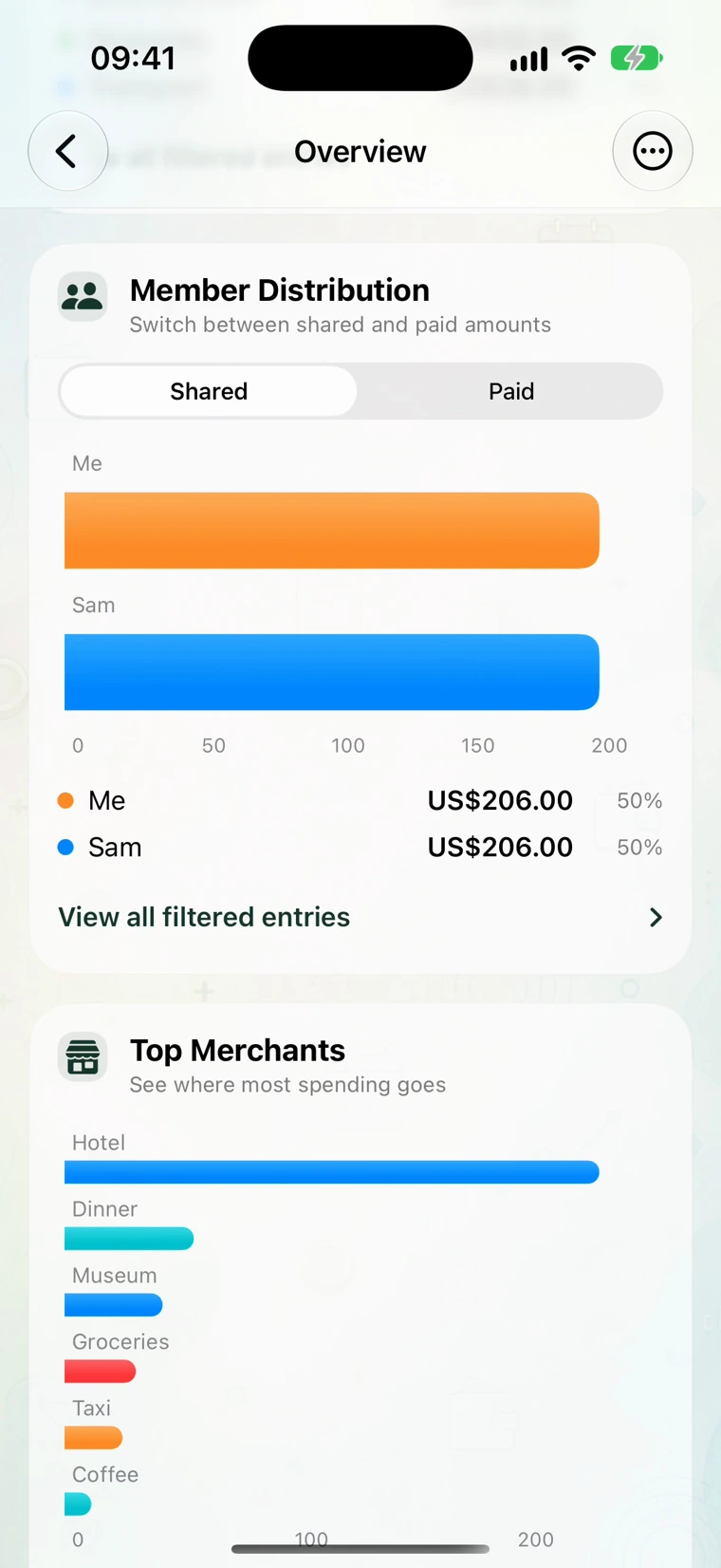
The Member Distribution control offers Shared and Paid. In this two-person ledger, Alex paid USD 310 and Sam paid USD 102. They shared every purchase equally, so each person's allocated share is USD 206.
| Question | View or calculation | Result in this example |
|---|---|---|
| Who covered the bills? | Paid | Alex: 310; Sam: 102 |
| What cost belongs to each person? | Shared | Alex: 206; Sam: 206 |
| Who reimburses whom? | Paid minus share | Sam owes Alex 104 |
Swipe the table to see every column.
Changing from Shared to Paid changes the question the chart answers. It does not add a new expense. The trip split guide includes the bill-by-bill calculation and the USD 104 Settle screen.
Use the same period and currency when comparing views
A chart for this month should not be compared directly with a whole-trip total that includes last month. Look at the active date range and any category or member filter before treating two amounts as inconsistent.
For a book containing more than one currency, read its main-currency total and the original amount separately. A JPY 4,200 meal is not a CNY 4,200 meal. The currency example explains how a yen subtotal contributes to a yuan total.
The record author's name also does not tell you who paid. Someone can enter a bill for another member. Use the payer and participant details when investigating a balance.
Turn a surprising total into a useful question
If dining looks higher than expected, open its records and ask which purchases you want to change next month. Perhaps it was one dinner, perhaps several coffee stops. The chart alone cannot distinguish those cases.
If the category total looks right but a member's share does not, review the participant choices instead. A purchase for one person should not automatically be shared with everyone in the book.
Personal bookkeeping and category totals are available without a paid sharing setup. A shared book requires an active Basic owner, while invited members can join without their own Basic subscription.