
On this page
Agree on the arrangement before entering the bills
Rent, internet and groceries do not have to follow the same arrangement. In this example, Alex, Sam and Jamie share rent and internet equally. Alex and Sam share a grocery shop that Jamie did not take part in.
These are fictional figures for explaining the calculation. They assume equal shares among the people selected for each purchase. If your rent agreement uses different amounts, settle that arrangement first; the equal-share example below does not describe a percentage or weighted-rent feature.
Choose a main currency for a book such as Apartment expenses. Keep individual lunches and personal shopping in personal books unless you have agreed to include them.
Three bills, with different participant selections
| Bill | Amount (USD) | Paid by | Shared by |
|---|---|---|---|
| Rent | 1,500 | Alex | Alex, Sam, Jamie |
| Internet | 90 | Sam | Alex, Sam, Jamie |
| Groceries | 60 | Jamie | Alex and Sam |
| Total | 1,650 | Three different payers | Participants vary |
Swipe the table to see every column.
Jamie can pay for groceries without sharing their cost. On that entry, Jamie is the payer and Alex and Sam are the participants. Each of them bears USD 30. Selecting all three would charge Jamie USD 20 for food Jamie did not share.
For the rent and internet records, select all three people. Each person's share is USD 500 for rent and USD 30 for internet. A short note such as groceries for Alex and Sam, Jamie away makes the choice understandable later.
Compare what each person paid with their share
| Person | Paid (USD) | Share (USD) | Difference |
|---|---|---|---|
| Alex | 1,500 | 560 | Paid 940 more than share |
| Sam | 90 | 560 | Paid 470 less than share |
| Jamie | 60 | 530 | Paid 470 less than share |
Swipe the table to see every column.
Sam → Alex: USD 470
Jamie → Alex: USD 470
After those payments, Alex bears 1,500 − 940 = 560, Sam bears 90 + 470 = 560, and Jamie bears 60 + 470 = 530.
The shares add to USD 1,650. An equal division of the whole month would instead produce USD 550 each, which misses the grocery arrangement. CoolMeow's payer and participant fields let the records describe each purchase before the balance is calculated.
Let each roommate use their own phone
The owner opens Share & Invite and selects Collaborator for people who will enter expenses. Each roommate joins the same book with their own account. iPhone and Android members can use that shared ledger together.
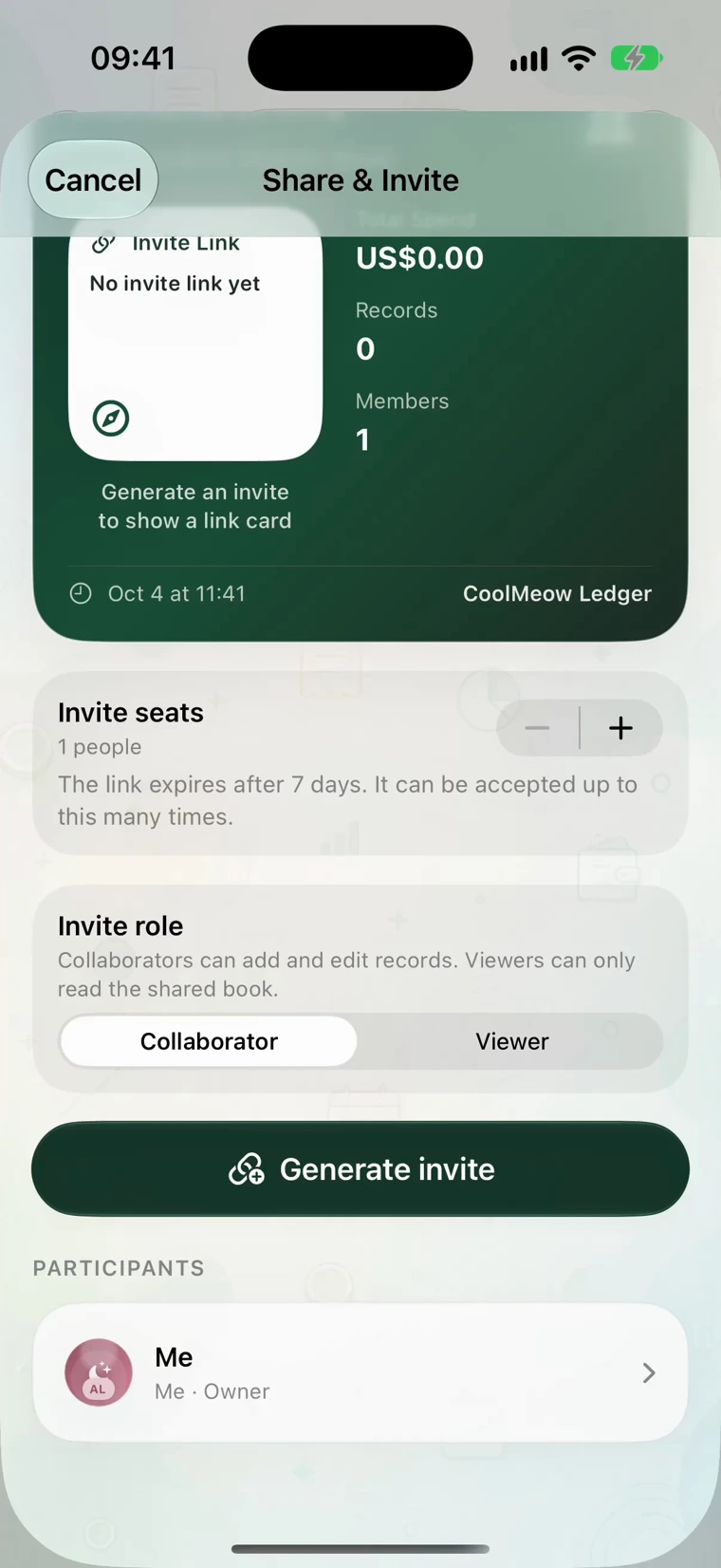
Only the owner needs an active Basic membership for shared-ledger access. Invited members do not need their own Basic subscription to join. If the owner's membership expires, the book becomes read-only until access is restored.
A viewer can read the book but is not the role to choose for a roommate who needs to add bills. The invitation guide follows the join process across both platforms.
Review the month before paying each other
Before using the balance, agree that the rent, internet and grocery records are complete. Compare the receipts or notes for an unfamiliar charge. Check whether a bill was entered twice, assigned to the wrong payer or shared with the wrong people.
Use the same book and date range when comparing totals. A pending entry that needs the owner's approval has not completed the same flow as an accepted expense.
Once everyone agrees, use Settle to review the balances and arrange the payments yourselves. CoolMeow records expenses and calculates who owes whom; it does not send the money. The two-person trip example shows an actual app balance beside the matching arithmetic.